
Download DroidCam APK – Free Design & Photography Software, Wireless Webcam Tool, Android App
Overview
DroidCam APK is a free Android application designed to transform a smartphone into a wireless webcam for desktop computers. The software enables users to stream live video from their Android device to a PC, making it ideal for video conferencing, live streaming, or recording high-quality footage without additional hardware. This tool is particularly useful for content creators, remote workers, and students who need a reliable and cost-effective alternative to traditional webcams.
By leveraging the built-in camera of an Android device, DroidCam eliminates the need for dedicated webcam hardware, offering flexibility and portability. The application supports real-time video transmission over Wi-Fi, allowing users to position their phone for optimal angles and lighting. This makes it a practical solution for users in environments where physical space or equipment limitations exist.
Targeted at both casual users and professionals, DroidCam is especially beneficial for those working in remote or hybrid setups. The app is developed by Dev47Apps, a company known for creating utility tools focused on enhancing mobile-to-desktop functionality. Since its initial release in 2013, DroidCam has gained a steady user base, with over 17,000 installations recorded. The developer did not provide additional system requirements.
Key Features & Capabilities
- Wireless Webcam Streaming – Uses the Android device’s camera to stream live video to a PC over Wi-Fi, enabling real-time video capture without cables.
- Multi-Device Support – Compatible with multiple operating systems, allowing users to connect their Android phone to Windows, Mac, or Linux computers.
- High-Resolution Video – Supports various video resolutions, delivering clear and smooth footage suitable for professional use.
- Low Latency Transmission – Optimized for minimal delay, ensuring smooth video performance during live sessions and recordings.
- Simple Setup Process – Minimal configuration required; users can start streaming with just a few taps after installing the app and desktop client.
- Automatic Connection Detection – The app automatically detects available desktop clients on the same network, streamlining the pairing process.
These features make DroidCam ideal for use in online meetings, Twitch or YouTube live streams, home security monitoring, and video tutorials. Users can position their phone on a stand or tripod for stable framing and use the phone’s superior camera quality to enhance visual output. The application is especially valuable in scenarios where a high-end webcam is unavailable or impractical.
User Interface, Workflow & Performance
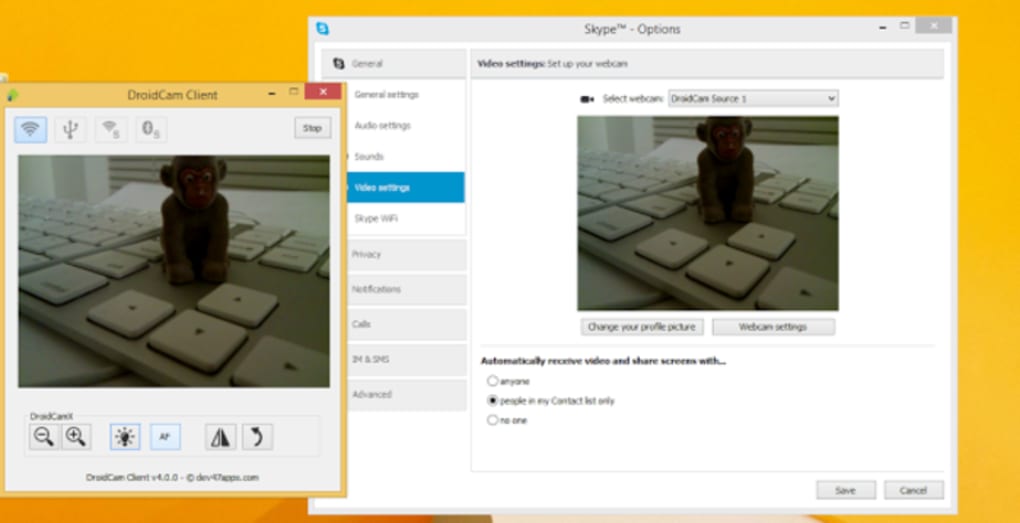
The user interface of DroidCam APK is straightforward and minimalistic, designed to prioritize functionality over visual complexity. The main screen displays a live preview of the camera feed, with simple controls for switching between front and rear cameras, adjusting video resolution, and toggling the flash. Navigation is intuitive, allowing users to quickly access settings without confusion.
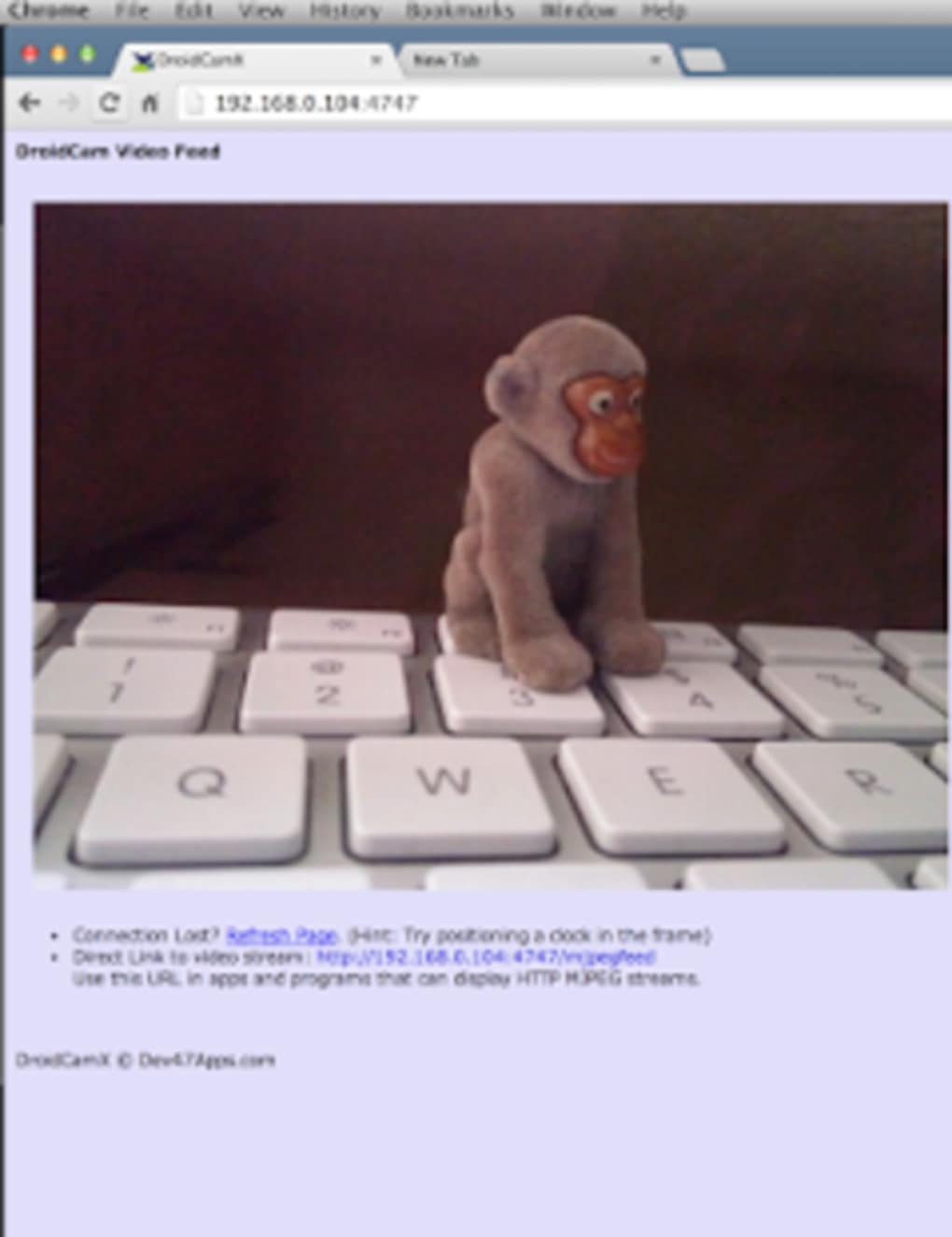
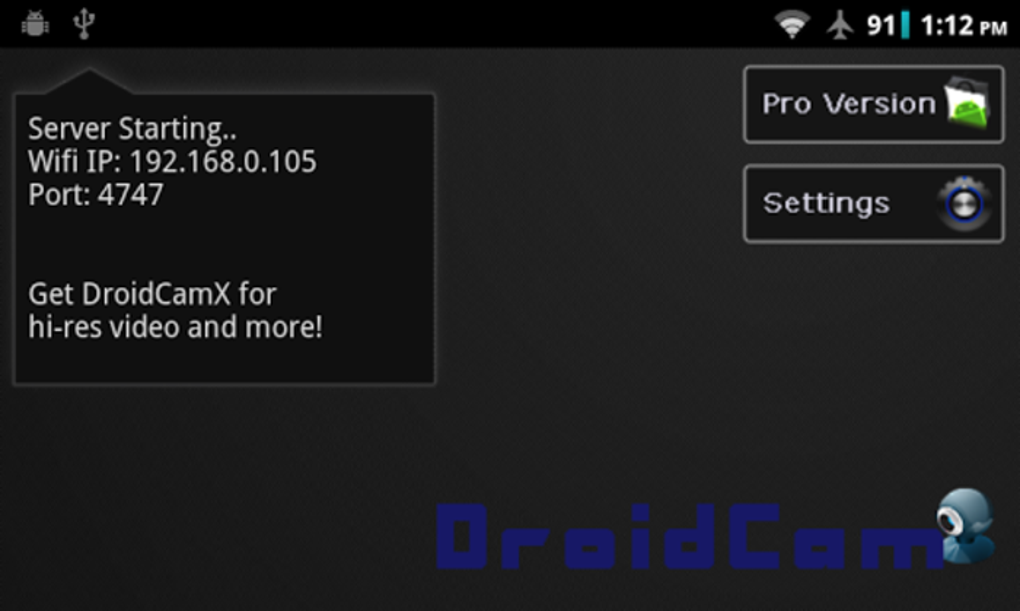
The workflow begins with installing the app on an Android device and launching the desktop client on the target PC. Once both devices are connected to the same Wi-Fi network, the app automatically detects the desktop client, enabling a seamless pairing process. The setup is efficient and typically completes within seconds, minimizing user friction.
Performance observations are based on general software behavior patterns. The developer did not specify resource usage details. However, as a streaming application, DroidCam relies on stable Wi-Fi connectivity and sufficient processing power on both the mobile and desktop ends. Stability may vary depending on network conditions and device performance. The app is reported to be free and secure to download, with no known security risks associated with its distribution.
Compatibility & System Requirements
DroidCam APK is designed to run on Android devices with version 2.1 or higher. This broad compatibility ensures that the app remains accessible to a wide range of users, including those with older Android smartphones. The application is available for download in English and supports multiple operating systems on the desktop side, including Windows, Mac, and Linux.
The install size of DroidCam Wireless Webcam depends on the type of device you have, but specific file size details were not provided. The current version of the program is 5.0.2, with the latest update released on December 16, 2014. The developer did not provide additional system requirements. Compatibility information was partially provided, with no mention of minimum CPU, RAM, or GPU specifications.
Pros and Cons
Pros
- Free to download and use with no hidden costs
- Transforms any Android phone into a high-quality webcam
- Wireless streaming via Wi-Fi eliminates cable clutter
- Supports multiple desktop operating systems
- Simple and fast setup process
- High-resolution video output suitable for professional use
Cons
- Outdated last update from 2014 raises concerns about current support
- No official updates or new features since 2014
- Resource usage details not disclosed
- Dependent on stable Wi-Fi connection for consistent performance
- May not support newer Android versions beyond tested range
FAQ Section
Is DroidCam APK compatible with Windows and Mac?
Yes, DroidCam APK supports multiple desktop operating systems, including Windows, Mac, and Linux, allowing users to connect their Android device to various PC platforms.
Is the software free and secure to download?
Yes, DroidCam APK is free to download and has been reported as secure. It is available through trusted sources without known malware or security risks.
Do I need an internet connection to use DroidCam?
Yes, a stable Wi-Fi connection is required to stream video from the Android device to the desktop. The app does not function over mobile data or offline.
What are the system requirements for running DroidCam?
The developer did not provide additional system requirements. The app is compatible with Android 2.1 and higher, but exact hardware or software specifications were not listed.
Can I use DroidCam for live streaming or video calls?
Yes, DroidCam is well-suited for live streaming on platforms like Twitch or YouTube, as well as video conferencing tools such as Zoom, Skype, or Google Meet.
Final Thoughts + CTA
DroidCam APK remains a functional and accessible solution for users seeking to repurpose their Android device as a wireless webcam. Despite its last update being in 2014, the app continues to deliver core functionality with a minimal interface and straightforward setup. Its ability to leverage the superior camera quality of modern smartphones makes it a practical tool for remote work, content creation, and online education.
While the lack of recent updates raises concerns about long-term compatibility and support, the software’s core features remain relevant. For users with older Android devices or those in need of a no-cost webcam alternative, DroidCam offers a viable option. However, users should be aware of potential limitations with newer Android versions and network stability.
Download DroidCam APK now to turn your smartphone into a powerful, wireless webcam and enhance your digital workflow with minimal investment.






.png)
